
IT infrastructure is the underlying environment that makes those services available. Even a business using cloud applications retains work to do on devices, connectivity, access and data protection. This guide focuses on that operational work; the separate components guide explains the technology categories in more detail.
Build a register people can use during a fault
A product list is useful for purchasing. During an outage, staff also need the administrator, contract owner, support contact and relevant service hours. Record unknowns explicitly so they can be assigned to someone for follow-up.| Review area | Include in the register | Practical question |
| Devices | User, purpose, OS support, warranty and repair contact | How would this person continue working after a failure? |
| Networks | Connections, equipment, layout and support contacts | Who takes the first call when the cause is unknown? |
| Servers and data | Service purpose, administrators, data location and recovery arrangements | What must be restored to resume the business activity? |
| Accounts | Owner, permissions, approver and change process | Who requests and verifies access removal? |
These are management categories, not independent technical layers. A file-sharing problem may involve an employee's computer, an account and a network path. Someone needs to coordinate the investigation when several suppliers are involved.
Check whether a failed device can be replaced in practice
Review operating-system and software support as well as age and fault history. A rarely used device can still pose a problem if security updates are unavailable.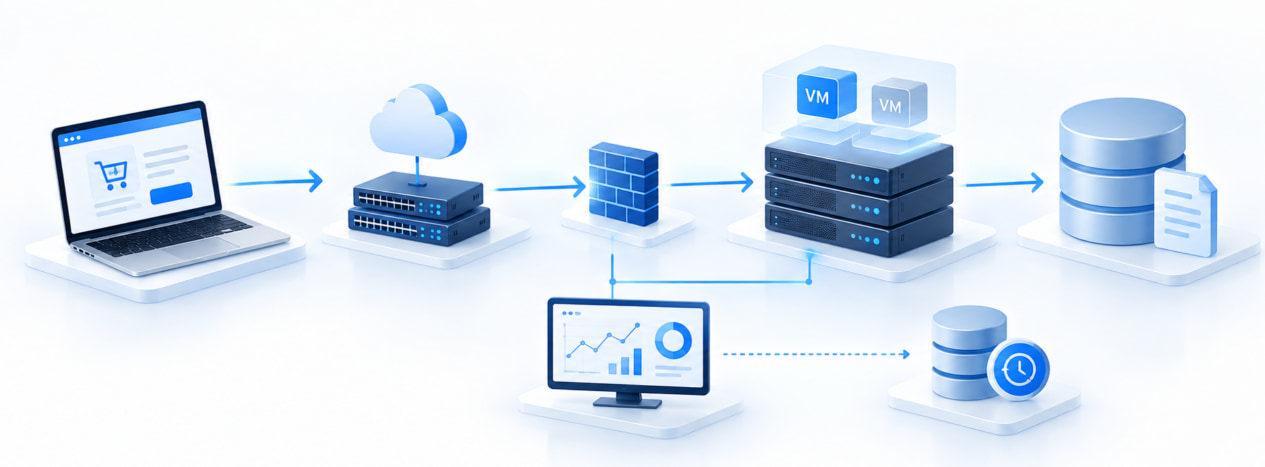
For important roles, try the spare device with the required applications, settings and access. Confirm that the employee can finish a normal task. A machine sitting in a cupboard is not a tested continuity arrangement.
Give the network team a useful fault description
Record when the slowdown happens, the location, affected users and services, and recent changes. If video calls fail only over Wi-Fi in one area, that information gives the investigation a different starting point from a problem affecting every office application.Buying a faster internet connection may not fix weak wireless coverage, an overloaded router or a device fault. For multiple Asia Pacific offices, identify the affected site and local time with an explicit time zone. “Yesterday afternoon” is a poor incident timestamp for a regional support team.
Set recovery needs with the business
Choose the records that would stop the selected activity if they were lost. Ask how much recent work could be recreated, when the service must return and what people can do while waiting.The recovery point objective, or RPO, expresses the maximum acceptable loss of recent data, measured in time. The target time to restore the service is the recovery time objective, or RTO. These are planning objectives to validate, not promises established merely by writing them down.
Use them to assess backup frequency, retention, storage and restoration procedures. Standard cloud retention or file synchronisation may not meet the requirement. Confirm the contracted capabilities and test the recovery path, including how users regain access to the application and its data.
Link account work to employee changes
Someone usually notices when a new starter cannot sign in. An account left active after a departure can remain unnoticed. Connect account administration to the HR process instead of waiting for an IT request to appear by chance.HR supplies the relevant dates, the manager approves access and data handover, and the administrator performs the change. Assign a person to verify completion. A role change should trigger a review of old permissions as well as the addition of new ones.
When someone leaves, stop their access and decide separately how to retain or transfer their email and files. Immediate deletion can interfere with a required handover. Follow the service's current procedures and your organisation's retention requirements.
Decide what to delegate
External support can perform diagnosis, configuration and recovery within an agreed scope. The business still needs to set priorities, approve relevant changes and confirm that ordinary work can resume. Compare the maintenance agreement with those tasks; a parts-replacement warranty may leave most of them with you.End the review with a short action list containing an owner and next date for each gap. Start with the service whose interruption would hurt most. advange can review existing registers, diagrams and support agreements to help define the operational work to retain or delegate.